We’re currently working on getting the meet.coop branding onto it. We’d also appreciate any feedback from members about changes they would like that existed on the old servers or you always wanted and also we have to be strategic with mine, @Graham and Nick’s time.
Note that we’re now on the 3.x series of Big Blue Button and Greenlight so it probably won’t be exactly the same as before.
I tried the new server yesterday - one on one session. Looks good. We’ll have a meeting on it with more people (Canada and Europe) next week. I’ll let you know how it went.
FWIW as commented on Meet.coop update October 2025 - #57 by flancian , Social\.coop users are currently not able to log in to de.meet.coop; Social\.coop would like it if authentication could be set up so our users work in de\.meet\.coop, or if we could define next steps towards our coop members being able to use this service.
Thanks for letting us know about this @flancian. We were working on the assumption that the users on the SSO (keycloak) app all had flat access to both Big Blue Button servers.
The problem that’s preventing us from solving this for you is me and Nick don’t have access to the Keycloak “master realm” which is the admin group for that server. We currently have access to a normal user account. Essentially the problem is that the people that did have access are not present or for whatever reason haven’t been able to get us the access we need.
We believe that you might have other access controls set or some some sort of external SSO intergradation that we don’t have visibility of. If you have any records of what was done or any visibility into how your accounts were created/setup. Please let us know.
Our current plan is to force our way in by migrating the Keycloak database into a new deployment of the app by merging it in after creating proper admin accounts for ourselves.
Me and Nick are coworking again on Thursday so we will try and accelerate our efforts to get this sorted. We’re trying our best. It’s just a really hard problem.
The only thing we can offer in the meantime is to share a single standard user account that I already have access to if that is of any help?
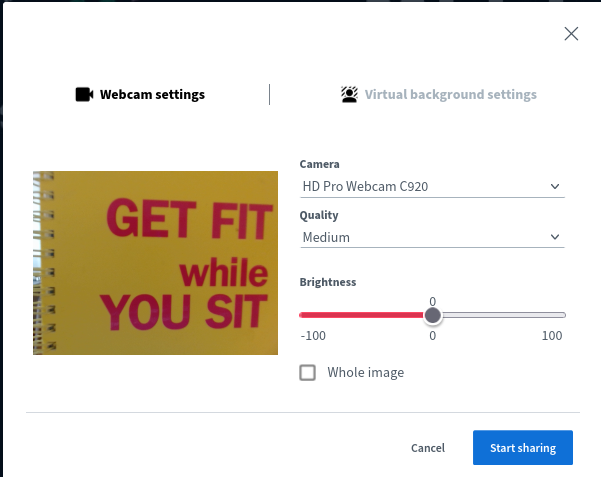
Mirrored image. Several people have observed recently and communicated to me that the current BBB server is configured to not mirror one’s own webcam image. This looks therefore mirrored to oneself, yep confusing huh? But it does make sense to mirror one’s own webcam image by default, so your right hand is really on the right side of your screen. We used to adjust the appropriate setting in the server config. Could you adjust that, @kawaiipunk ?
Reposting here, from a previous inappropriate thread . .
BBB UI defaults
I find the defaults on Collocall’s setup of BBB unhelpful. The fonts are too small to read, literally. Even logging in to a meeting would be impossible if I didn’t already know the login process. Then , inside a meeting, each time I must boost the settings so that I can read the chat and shared notes - there doesn’t seem to be any way to save personal settings. It’s lucky I know where the settings menu is bcos I can’t read that either.
Fonts-too-small applies in the login screen as well as inside BBB proper.
Can these queries be communicated to Collocall? And taken into consideration when configuring a ca server? @henning doesn’t seem to be in this Discourse space now. Or is this out of Collocall’s hands - does it concern the shared setup of bothe servers? I think so @kawaiipunk
Another setup gripe . . in the old days pre-Collocall, the shared screenspace for participants’ video images and presentation slides used to have a draggable boundary. That is, the relative space for video images and the space for slide presentations could be altered (without closing the presentation window altogether). Please could we get this reinstalled, it was so useful?
And a query: when logging in with audio there now seems to be an additional dialogue box after doing the echo check. The echo check is irritating as always, but this additional dialogue (in letters too small to read) is infuriating. grr. Can the audio login be simplified?
Hi @mikemh thanks so much for collecting this knowledge.
Bear in mind that some of these issues are not going to be ColloCall modifications. I believe GreenLight was completely rewritten in the move from the 2.7 release to the 3.0 release.
I am not familiar enough to know what has changed in that major upgrade.
I can compile a list of the issues raised in this thread and ask ColloCall if they know anything more about these.
I think it will be a good idea to move away from the ColloCall greenlight docker image to our own custom image. For example, we can’t change the Collocall text on the initial de.meet.coop page right now. ColloCall can maintain a custom image for us with changes but they will charge for doing that and for time spent making those changes.
I just had a meeting with 30 people (UK based). Worked really well. There’s a bit of an unfamiliarity tax of moving from Zoom but we successfully conducted our meeting without disruption. Maybe two people had trouble with their audio out of 30.


 to both.